Olga 2026.2 is available now
Tuesday, 30 June 2026
The Olga™ dynamic multiphase flow simulator models transient flow (time-dependent behaviors) to maximize production potential. Transient modeling is an essential component for feasibility studies and field development design. Dynamic simulation is essential in deep water and is used extensively in both offshore and onshore developments to investigate transient behavior in pipelines and wellbores. Transient simulation with the Olga simulator provides an added dimension to steady-state analysis by predicting system dynamics, such as time-varying changes in flow rates, fluid compositions, temperature, solids deposition, and operational changes. The Olga simulator accurately predicts transient flow behavior across the entire production system—from wellbore dynamics through well completions to pipelines and associated process equipment.
As part of our ongoing commitment to excellence, we continuously innovate to enhance our product. This latest version brings multiple improvements, updates, and bug-fixes to benefit our users. The most important improvements are mentioned in this document below. Please read the release notes for the full overview.
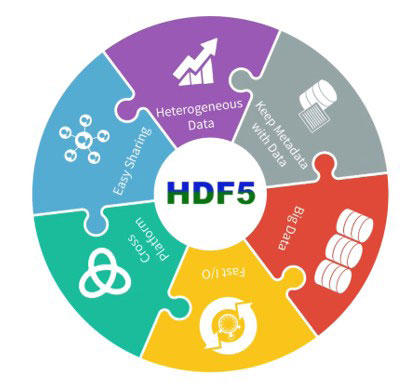
Olga 2026.2 uses HDF5 (.h5) as the default output format for trend and profile plot data, replacing the legacy .tpl and .ppl formats.
HDF5 is a widely adopted binary data format designed for efficient storage and access to large datasets. Its key benefits include:
The new format is fully integrated with the Olga simulator graphical user interface (GUI), with trend plots, profile plots, and multi-case plotting working seamlessly with .h5 files.
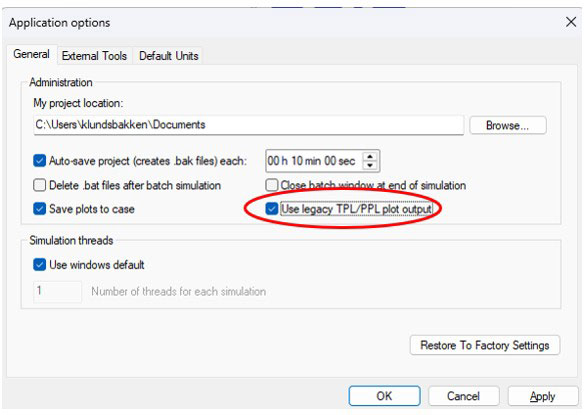
The legacy .tpl/.ppl formats remain available for backward compatibility. To use them, open the ‘Application options’ dialog, navigate to the ‘General’ tab, and enable ‘Use legacy TPL/PPL plot output’ as shown in the figure below.
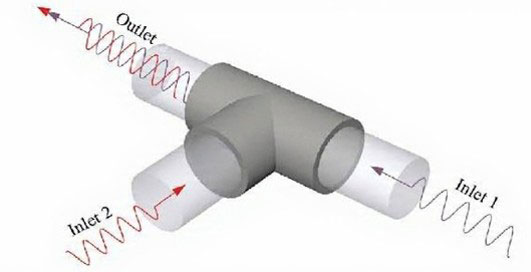
A new node type, ‘Tie-in’, has been introduced. It enables the termination of one or more flowpaths to be connected to a specific section of another flowpath. The node supports multiple predefined connection configurations (TOPOSITIONS), with the active configuration selected via the ‘POSITION’ parameter. This parameter can also be controlled dynamically, allowing flowpaths to be re-routed during simulation.
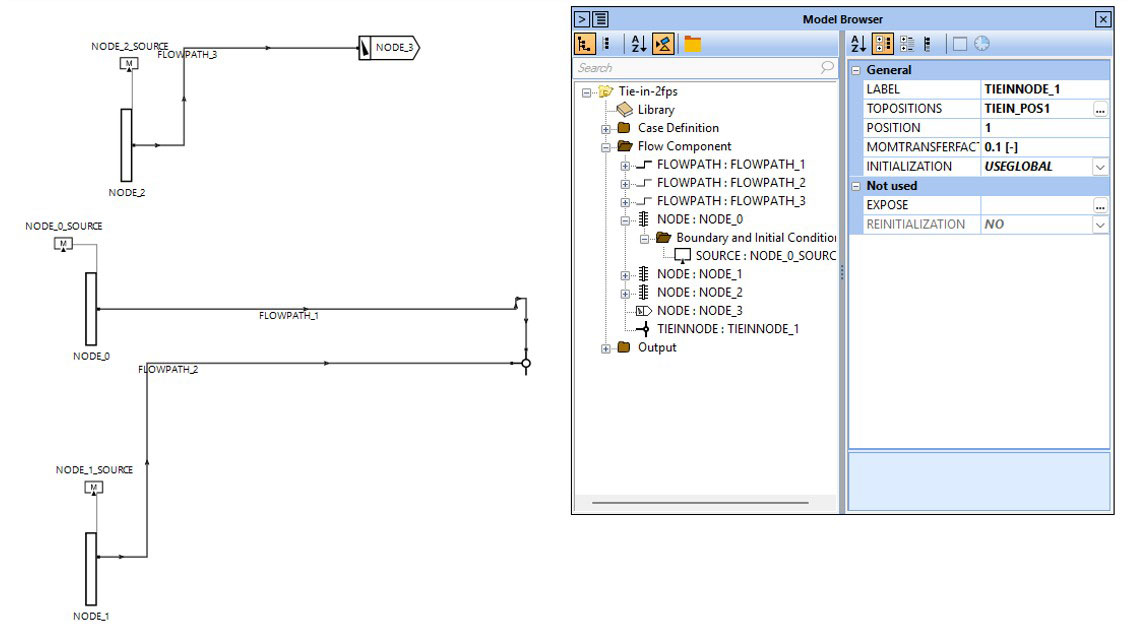
A screenshot from Olga simulator is shown below. In this example FLOWPATH_1 and FLOWPATH_2 are connected to the Tie-in node. TOPOSITIONS is defined as TIEIN_POS1, which is a position on Flowpath_3, hence transferring flow from FLOWPATH_1 and FLOWPATH_2 into FLOWPATH_3.
The animation feature has been part of Olga simulator for some time, but previously supported visualization of only a single flowpath in the 3D view. It has been widely used to illustrate flow regimes in production system presentations.
With the Olga 2026.2 release, the 3D Animation pane now supports multiple flowpaths simultaneously. Selected flowpaths are displayed together, ordered and connected according to the model topology shown in the GUI. Individual flowpaths can be toggled on or off without losing the combined view, and connections are visualized as rectangles linking the pipes.
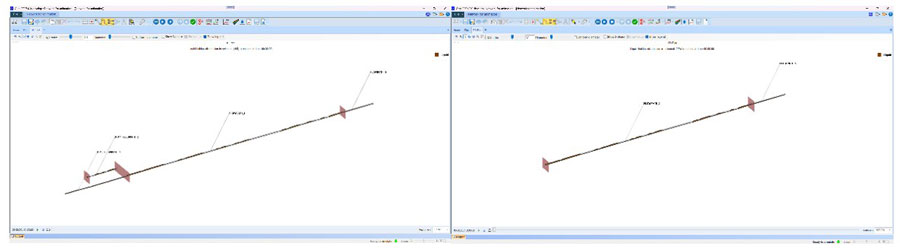
The geometry remains realistic, with pipe angles and layouts taken directly from the .opi file. Scaling and display settings apply consistently across all selected flowpaths, and each is clearly labeled in the 3D view.
A new case-level input key, TLE, has been introduced in the Olga simulator user interface (UI). It can be set to ON or OFF, with ON enabling new behavior. When enabled, timeline events are honored, meaning the simulation time step is automatically adjusted to align with scheduled events.
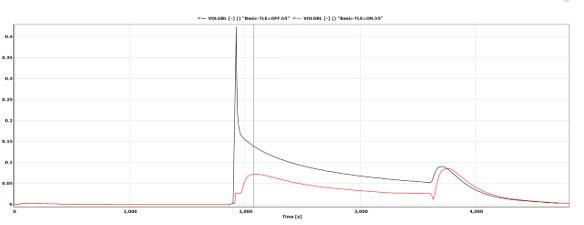
Timeline events, such as a valve starting to open, can cause disturbances and changes in fluid flow. By ensuring that time steps coincide with these events, the resulting flow variations are typically captured more accurately. This often leads to improved numerical stability and faster overall simulation performance.
GUI enhancement: When a specific time point is manually selected in a profile plot, pressing the Play button will now start the animation from that selected time instead of from the beginning.
Some of the reservoir inflow coefficients for backpressure, quadratic, single forchheimer, and forchheimer inflow performance relationships (IPRs) had fixed units before. Now it is possible to change the units of these coefficients.
Video export now uses H.264, producing much smaller files with no quality loss and no need for external codecs.
GUI scaling on high-resolution screens has been enhanced. Previously, certain interface elements—such as buttons and input fields—could appear too small, hard to read, or partially hidden when display scaling exceeded 100%.
This update improves consistency across different screen resolutions and scaling settings, ensuring that interface elements remain clearly visible and easy to interact with.


